
In today’s fast-paced digital world, smartphones have become indispensable tools for communication, entertainment, productivity, and more. However, one persistent frustration for users is the rapid depletion of battery life.
If you’ve ever wondered why your phone’s battery seems to vanish before the day is over, the culprit is often hiding in plain sight: the apps you use every day. Popular apps that drain your mobile battery are a common issue, affecting both Android and iOS devices.
According to recent studies, certain applications consume excessive power due to background processes, data syncing, location tracking, and high-resource features like video streaming or constant notifications.
This article dives deep into the most notorious battery-draining apps, explores why they sap your device’s energy, and provides practical tips to mitigate the problem. Whether you’re a heavy social media user or rely on navigation apps, understanding these power hogs can help you extend your battery life significantly.
We’ll also discuss how to identify and manage these apps on your phone, ensuring you stay powered up longer. By optimizing your app usage, you can avoid the constant hunt for a charger and enjoy a more efficient mobile experience.
Understanding Battery Drain: Why Do Apps Consume So Much Power?
Before we list the specific apps, it’s essential to grasp the mechanics behind battery consumption. Smartphones rely on lithium-ion batteries, which have limited capacity. Apps drain this energy through various activities:
– Background Processes: Many apps run silently in the background, checking for updates, syncing data, or pushing notifications. This constant activity prevents your phone from entering low-power modes like Doze on Android.
– Location Services: Apps that use GPS, such as maps or ride-sharing services, require continuous location data, which activates hardware components like the GPS chip and drains power quickly.
– Media and Streaming: Video playback, auto-playing content, and high-definition graphics demand significant CPU and GPU resources, leading to rapid battery depletion.
– Data Usage: Apps that frequently connect to the internet for ads, analytics, or real-time updates use cellular or Wi-Fi radios, which are power-intensive, especially in areas with poor signal.
– Permissions and Features: Granting permissions for camera, microphone, or storage allows apps to perform resource-heavy tasks even when not in active use.
Recent analyses from tech experts and optimization firms highlight that cloud-based operations exacerbate this issue. For instance, apps syncing with remote servers can trigger data centers to process information, indirectly contributing to local battery drain through frequent network calls.
Factors like screen brightness, network strength, and device age also play roles, but apps are often the primary offenders.
In 2026, with advancements in app development and AI integration, some apps have become even more demanding. Studies show that the average smartphone user installs over 80 apps, but only a handful account for the majority of battery usage. Let’s examine the top culprits based on data from Elevate, PCMag, and other sources.
“Read Also: Right Cooker for Your Kitchen“
Top 10 Popular Apps That Drain Your Mobile Battery
Here’s a breakdown of the most common battery-draining apps, ranked by their average monthly battery consumption percentages from user studies. These figures are derived from real-world usage patterns, including screen time, data usage, and background activity. Note that actual drain varies by device, OS version, and usage habits.
1. Netflix: As the leading streaming service, Netflix tops the list with an astonishing 1,500% battery drain per month in some studies. Why? High-quality video streaming requires constant data fetching, decoding, and display processing. Background downloads for offline viewing and auto-play previews further compound the issue. If you’re binge-watching on the go, expect your battery to plummet—users report up to 20-30% drain per hour of use.
2. TikTok: This short-form video app drains around 825% of a full battery charge monthly. Endless scrolling, auto-playing videos, and AI-driven content recommendations keep the screen active and the processor busy. Background syncing for new videos and notifications adds to the toll, making it a notorious power hog for younger users who spend hours on the platform daily.
3. YouTube: Similar to TikTok, YouTube’s video-centric nature leads to significant drain, often around 700-900% monthly. Features like background playback (via YouTube Premium) and constant ad loading require ongoing network activity. Users watching in high resolution or with subtitles see even faster depletion.
4. Snapchat: Known for its ephemeral messaging and AR filters, Snapchat consumes battery through camera usage, location sharing in Snap Map, and real-time updates. It ranks high with permissions for 11 background features, leading to 600-800% monthly drain. The app’s heavy reliance on visual effects and social interactions makes it particularly demanding.
5. Facebook: The social media giant is a classic battery drainer, with studies showing it among the top five due to constant news feed refreshes, ad loading, and background syncing. Features like Marketplace, Groups, and Messenger integration keep it active, resulting in 500-700% monthly consumption. Its integration with other Meta apps amplifies the effect.
6. Instagram: Another Meta-owned app, Instagram drains battery via photo and video uploads, Stories auto-play, and Reels. Background processes for notifications and content prefetching contribute to 400-600% monthly drain. The app’s visual-heavy interface requires GPU-intensive rendering.
7. WhatsApp: As a messaging app, WhatsApp might seem innocuous, but voice/video calls, media sharing, and end-to-end encryption processing eat power. It allows multiple background features, leading to 300-500% drain, especially for users in group chats or with frequent backups.
8. Uber: Ride-sharing apps like Uber use GPS constantly for location tracking, even in the background, to match riders with drivers. Combined with map rendering and notifications, it can drain 200-400% monthly. Peak usage during commutes exacerbates this.
9. Tinder/Bumble/Grindr: Dating apps are surprisingly power-hungry, accounting for 15% of top drainers collectively. Swiping through profiles involves location services, image loading, and real-time matching, leading to 200-300% drain. Background notifications for matches keep them active.
10. CapCut: This video editing app from ByteDance drains up to 30% per hour due to intensive processing for effects and rendering. Popular among content creators, its background exports and previews make it a silent killer for creative users.
Other mentions include LinkedIn (job notifications and networking), Skype (video calls), and smart home apps like those for Nest or Ring, which sync with cloud servers constantly. Weather apps with location-based updates also contribute subtly.
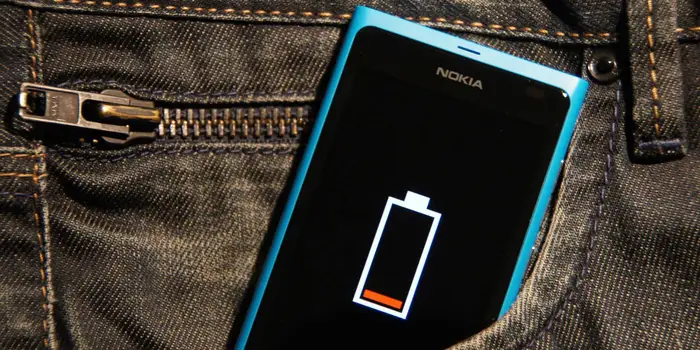
How to Identify Battery-Draining Apps on Your Device
Don’t rely solely on lists—your usage might differ. Here’s how to spot offenders:
– On Android: Go to Settings > Battery > Battery usage. This shows a breakdown by app, including background time. Enable Adaptive Battery to limit rarely used apps.
– On iOS: Navigate to Settings > Battery. It lists apps by consumption percentage over 24 hours or 10 days. Look for “Background Activity” indicators.
– Third-Party Tools: Apps like AccuBattery or GSam Battery Monitor provide detailed stats, including wakelocks (times an app wakes your phone from sleep).
Regularly review these metrics, especially after installing new apps. If an app shows disproportionate usage, consider alternatives or restrictions.
“Read Also: Code Wiki“
Effective Strategies to Manage and Reduce Battery Drain
Tackling battery-draining apps doesn’t mean deleting them entirely. Here are proven tips:
1. Restrict Background Activity: On Android, use Battery Optimization (Settings > Apps > Special access > Battery optimization). On iOS, disable Background App Refresh (Settings > General > Background App Refresh).
2. Limit Permissions: Revoke unnecessary access to location, camera, or notifications via app settings. For example, set location to “While Using” instead of “Always.”
3. Use Lite Versions: Apps like Facebook Lite or Instagram Lite are designed for lower resource use, consuming less battery while retaining core features.
4. Dark Mode and Lower Resolution: Enable dark mode in apps to reduce screen power (OLED screens benefit most). Lower video quality in streaming apps.
5. Schedule Downtime: Use Do Not Disturb or Focus modes to suppress notifications, reducing app wake-ups.
6. Update Apps and OS: Developers often release battery fixes. Keep everything current, as outdated versions can have bugs causing excess drain.
7. Uninstall or Force Stop: For rarely used apps, uninstall them. Force stop via settings to halt background processes temporarily.
8. Battery-Saving Modes: Activate your phone’s built-in power-saving features, which throttle CPU and limit app activity.
9. Monitor Cloud Syncing: For apps like Google Photos or Dropbox, sync only on Wi-Fi and when charging to avoid cellular drain.
10. Hardware Considerations: Clean your charging port, avoid extreme temperatures, and calibrate your battery periodically for accurate readings.
Implementing these can extend battery life by 20-50%, depending on your habits. For instance, users who disabled background refresh on social apps reported lasting an extra 2-3 hours per charge.
Alternatives to Battery-Draining Apps
If certain apps are indispensable but too demanding, consider lighter alternatives:
– Instead of Netflix, use browser-based streaming with ad-blockers to reduce app overhead.
– For TikTok, try YouTube Shorts, which might integrate better with your device’s optimizations.
– Replace Uber with local apps or public transit trackers that use less GPS.
– Opt for web versions of Facebook or Instagram via browsers, which often consume less power than native apps.
Emerging trends in 2026 include AI-powered battery management in OS updates, like Android 16’s enhanced Adaptive Battery, which predicts and restricts app behavior more intelligently.
The Impact of Battery Drain on Daily Life and Environment
Beyond personal inconvenience, excessive battery drain has broader implications. Frequent charging shortens battery lifespan, leading to more e-waste. Globally, smartphones contribute to energy consumption equivalent to small countries. By managing apps wisely, users can reduce their carbon footprint—optimized devices mean less power drawn from grids.
In professional settings, a dead phone can mean missed opportunities, while for travelers, it poses safety risks. Prioritizing battery health ensures reliability in critical moments.
Conclusion: Take Control of Your Battery Life
Popular apps that drain your mobile battery, such as Netflix, TikTok, and Facebook, are integral to modern life but come at a cost. By understanding their mechanisms, identifying culprits on your device, and applying management strategies, you can reclaim hours of usage daily. Remember, the key is balance—enjoy your apps without letting them dominate your device’s resources.
Stay proactive: Regularly audit your battery stats, update software, and experiment with settings. If issues persist, consult device support or consider upgrading to models with larger batteries, like the latest Pixel or iPhone series. With these insights, you’ll never be caught off-guard by a low battery warning again.